.jpg?width=40&height=40&name=Jeff-Walker-(Avatar).jpg)
"Today's multifunction devices are connected business systems that handle sensitive information throughout the workday. When left unsecured, they can create unnecessary exposure across your IT infrastructure, document workflows, compliance efforts, and data privacy initiatives."
Most businesses think about cybersecurity. Often, they forget about the copier. When most organizations think about cybersecurity, they focus on laptops, servers, firewalls, email protection, and endpoint security. But there's one connected device that often gets overlooked: the office copier.
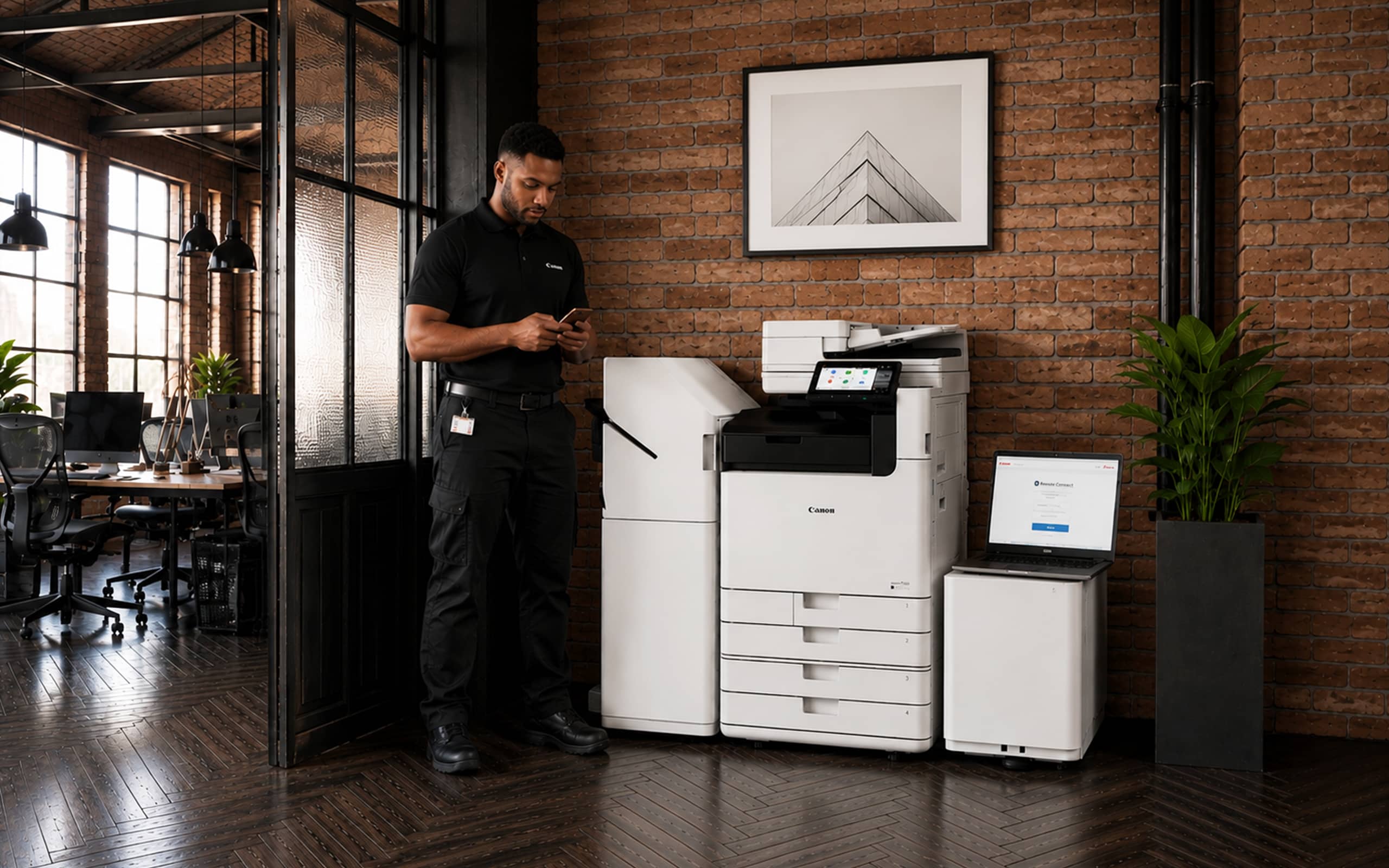
Modern multifunction printers (MFPs) are no longer simple machines sitting in the corner of the office. They store data, connect to your network, transmit documents, and interact with cloud applications every day. That means copier security has become a legitimate business concern, not just another item on an IT checklist.
In many organizations, copiers are among the least monitored devices on the network, even though they process sensitive information every day.
Why Copier Security Matters More Than Ever Before.
Every time someone prints, scans, copies, or emails a document, information passes through the copier. Depending on your business, that may include employee records, payroll information, customer data, contracts, financial statements, healthcare records, or legal documents.
Most businesses would never leave that information unprotected on a laptop. Yet many secure their computers and servers while overlooking the copier entirely.
That gap can introduce unnecessary risk, including unauthorized access, document exposure, compliance issues, and vulnerabilities that extend into the broader network. Because copiers tend to operate quietly in the background, those risks often remain hidden until something goes wrong.
Traditional Office Copier vs. Secure Copier: A Comparison.
6 Reasons Copier/MFP Security Matters So Much in 2026.
1. Your Copier May Be Storing Sensitive Data Right Now.
One of the biggest misconceptions about copier security is believing documents disappear after they're printed.
In reality, many multifunction devices retain information on internal hard drives or memory. Depending on the configuration, that may include scanned documents, print history, copied files, user activity, and workflow data.
If features like hard drive encryption or automatic data overwrite aren't enabled, sensitive information may remain on the device long after it's needed.
This becomes especially important when equipment is returned at the end of a lease, serviced, upgraded, or retired. Many organizations don't realize their copier has been storing business data until the device leaves their control.
A strong security strategy should include hard drive encryption, automatic data overwriting, controlled administrative access, and secure device retirement procedures.
2. Your Copier Is Part of Your Network.
Today's copiers function much like any other network-connected computer. They receive software updates, communicate with cloud services, and interact with other systems across your organization.
Like any connected device, they can also become a point of entry if they aren't properly maintained.
Common issues include outdated firmware, default passwords, open network ports, weak authentication, and unpatched vulnerabilities. Cybercriminals often target overlooked devices because they receive less attention than laptops or servers.
Copier security shouldn't exist outside your IT strategy. It should follow the same security standards and maintenance practices as every other connected device on your network.
3. Printed Documents Still Create Security Risks.
Not every security threat is digital.
One of the simplest risks is also one of the most common: confidential documents left sitting in an output tray. Payroll reports, HR paperwork, financial statements, legal documents, and healthcare records can easily be viewed by employees, visitors, vendors, or contractors if they're printed and forgotten.
Secure print release helps reduce this risk by requiring users to authenticate at the device before documents are printed. It's a simple change that protects sensitive information without disrupting everyday workflows.
4. Scan-to-Email and Cloud Workflows Need Protection, Too.
Modern copiers make it easy to scan documents directly to email, shared folders, or cloud storage. While that convenience improves productivity, it also creates opportunities for accidental data exposure.
Something as simple as entering the wrong email address or selecting an unsecured destination can send confidential information outside the organization within seconds.
Organizations can reduce those risks by implementing authenticated workflows, destination restrictions, encrypted transmission, predefined scan destinations, and role-based user permissions. The goal is to make secure workflows the easiest workflows for employees to follow.
5. Compliance Includes Your Copier Environment.
Many businesses must comply with regulations governing how sensitive information is stored, accessed, and shared. Whether your organization follows HIPAA, PCI DSS, GDPR, financial regulations, or industry-specific record retention requirements, copier security should be part of that conversation.
Unfortunately, copier environments are often overlooked until an audit or security incident reveals a gap.
Common issues include:
-
unsecured stored data,
-
weak access controls,
-
missing audit logs,
-
improper device disposal, and
-
limited visibility into user activity.
As copiers continue to evolve into connected business systems, securing them has become an important part of overall compliance and risk management.
6. You Can't Secure What You Can't See.
Perhaps the biggest challenge is that many organizations simply don't know how their copiers are configured.
Questions like these often go unanswered:
-
Is the hard drive encrypted?
-
Who has administrative access?
-
Is the firmware up to date?
-
What information is being stored?
-
How are scan workflows configured?
-
Are audit logs being captured?
A copier security assessment can answer those questions, uncover hidden vulnerabilities, and help align your print environment with your broader cybersecurity strategy before small issues become costly ones.
The Bottom Line? Copier Security Is Business Security.
The days of treating copiers as standalone office equipment are over.
Today's multifunction devices are connected business systems that handle sensitive information throughout the workday. When left unsecured, they can create unnecessary exposure across your IT infrastructure, document workflows, compliance efforts, and data privacy initiatives.
The good news is that most copier security risks can be addressed through better visibility, proper device configuration, secure workflows, ongoing monitoring, and policies that align with the rest of your security program.
The first step is understanding where your environment stands today. It's far easier to address security gaps proactively than to discover them after they've become business problems. Let's set up a time to visit today!


4 Powerful Canon Copier Features You May be Missing Out On

5 Secure Printing Features to Bolster Your Copier/MFP Environment